Complete Guide to WhatsApp Business API in 2026
Introduction
The way businesses communicate with customers has fundamentally changed. Gone are the days when email was the primary digital communication channel, or when customers were content waiting days for responses. Today's consumers expect instant, personal, and convenient interactions—and they want them on the platforms they already use daily.
Enter WhatsApp Business API. With over 2.5 billion active users worldwide, WhatsApp has evolved from a simple messaging app into a powerful business communication platform. The WhatsApp Business API enables medium to large businesses to communicate with customers at scale while maintaining the personal, conversational feel that makes WhatsApp so popular.
Whether you're looking to automate customer support, send order notifications, run marketing campaigns, or build a complete customer engagement strategy on WhatsApp, this comprehensive guide will walk you through everything you need to know. You'll learn what WhatsApp Business API is, how it differs from the standard WhatsApp Business App, key features and capabilities, how to get started, pricing structure, industry use cases, best practices, and common challenges to avoid.
By the end of this guide, you'll have a clear understanding of whether WhatsApp Business API is right for your business and exactly how to implement it successfully.
What is WhatsApp Business API?
WhatsApp Business API is an enterprise-level interface that allows medium to large businesses to communicate with their customers on WhatsApp programmatically. Unlike the WhatsApp Business App (designed for small businesses with manual messaging), the API enables automated, scalable communication through integration with your existing business systems.
How It Differs from Regular WhatsApp and WhatsApp Business App
Understanding the three WhatsApp options is crucial for choosing the right solution:
Regular WhatsApp is designed for personal use. It's perfect for individual conversations but lacks any business features, branding options, or automation capabilities.
WhatsApp Business App is a free standalone application built for small businesses. It offers basic business features like business profiles, quick replies, labels, and catalog showcasing. However, it's limited to a single device, requires manual messaging, and can only be managed by up to four connected devices—making it unsuitable for teams or businesses handling high message volumes.
WhatsApp Business API is the enterprise solution designed for scalability and automation. It allows:
- Unlimited agents managing conversations simultaneously
- Integration with CRM, helpdesk, and other business systems
- Automated messages triggered by customer actions or business events
- Rich media messaging including images, videos, documents, and interactive buttons
- Official Business Account badge for verified businesses
- Advanced analytics and reporting capabilities
- Multi-channel support through business solution providers
The API doesn't have a user interface—instead, it integrates with platforms like SamparkPro that provide the dashboard, automation tools, and conversation management features businesses need.
Key Technical Characteristics
WhatsApp Business API operates on a conversation-based pricing model rather than per-message pricing. It uses message templates for business-initiated conversations (requiring pre-approval from Meta) and allows free-form messaging when responding to customer inquiries within a 24-hour window.
The API is built on Meta's Cloud API infrastructure, offering robust security, global scalability, and reliable message delivery. All messages are end-to-end encrypted, ensuring customer privacy and data protection.
Pro Tip: If you're a small business managing fewer than 100 conversations daily with just 1-2 people, the free WhatsApp Business App might suffice. But if you need automation, team collaboration, CRM integration, or handle hundreds of conversations, the API is essential for sustainable growth.
Key Features and Capabilities
WhatsApp Business API unlocks powerful capabilities that transform how businesses engage with customers. Here are the features that make it a game-changer:
1. Automated Message Templates
Message templates are pre-approved message formats used to initiate conversations with customers. These templates can include:
- Order confirmations and shipping updates
- Appointment reminders
- Payment receipts
- Account notifications
- Marketing promotions (with proper opt-in)
Templates support dynamic variables (like customer names, order numbers, tracking links) and can include call-to-action buttons for immediate engagement.
2. Rich Media Messaging
Go beyond plain text with:
- Images and videos for product showcases
- PDF documents for invoices, catalogs, or guides
- Location sharing for store directions or delivery tracking
- Contact cards for easy saving of business information
- Audio messages for personalized communication
Rich media increases engagement rates by up to 300% compared to text-only messages.
3. Interactive Messages
Create engaging experiences with:
- Quick Reply Buttons: Up to 3 preset response options for customers
- Call-to-Action Buttons: Direct links to websites, phone calls, or specific actions
- List Messages: Present up to 10 options in an organized menu format
- Product Lists: Showcase multiple products with images and descriptions
Interactive elements simplify customer interactions and drive higher conversion rates.
4. Multi-Agent Support and Team Collaboration
Unlike the Business App's device limitations, the API enables:
- Unlimited team members handling conversations
- Conversation routing based on skills, departments, or availability
- Internal notes for team coordination without customer visibility
- Real-time collaboration with multiple agents viewing the same conversation
- Role-based permissions for team management and access control
This makes it perfect for customer support teams, sales departments, and multi-location businesses.
5. Chatbot and Automation Integration
Build sophisticated automated workflows:
- AI-powered chatbots for instant responses 24/7
- Keyword-triggered automations for common queries
- Menu-based navigation for self-service options
- Intelligent routing to human agents when needed
- Automated follow-ups based on customer behavior
Automation handles routine inquiries while human agents focus on complex issues, dramatically improving efficiency.
6. CRM and System Integration
Connect WhatsApp to your business ecosystem:
- Sync contact data with your CRM automatically
- Trigger WhatsApp messages from your e-commerce platform
- Log conversations in your helpdesk system
- Update customer records in real-time based on WhatsApp interactions
- Create tickets automatically from WhatsApp conversations
Integration creates a unified customer view across all touchpoints.
7. Advanced Analytics and Reporting
Track performance with detailed metrics:
- Message delivery, read, and response rates
- Agent performance metrics (response time, conversation volume, resolution rates)
- Customer satisfaction scores
- Peak conversation times for resource planning
- Campaign performance for marketing messages
- Quality rating and phone number status to maintain good standing
Data-driven insights enable continuous optimization and prove ROI.
8. Verified Business Profile
Build trust with:
- Green checkmark badge showing your business is verified
- Complete business information (address, description, hours, website)
- About section to communicate your value proposition
- Profile photo and business category for brand recognition
Verified profiles increase customer trust and engagement rates.
Pro Tip: Start with essential features (templates, basic automation, team access) and gradually implement advanced capabilities. Trying to build everything at once often leads to complexity and delays. Master the fundamentals first.
How to Get Started with WhatsApp Business API
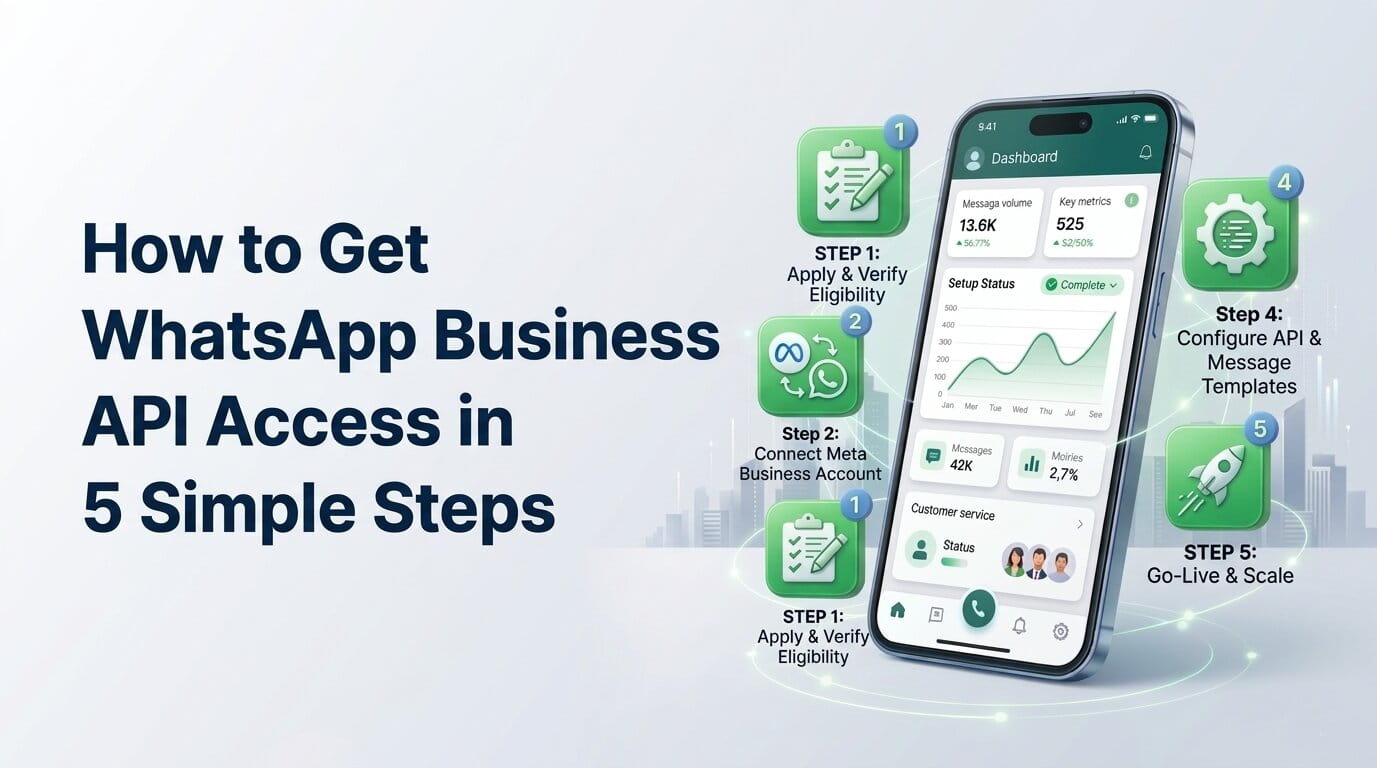
Getting WhatsApp Business API access has become significantly easier with Meta's Embedded Signup flow. Here's your step-by-step roadmap:
Step 1: Verify You Meet the Requirements
Before starting, ensure you have:
- A business phone number not currently registered on WhatsApp (personal or Business App)
- A Facebook Business Manager account with admin access
- A verified Meta Business Account (verification may take 1-5 business days)
- A business website or online presence for credibility
- Business documentation ready (registration certificate, tax ID, etc.)
If your desired number is already on WhatsApp, you'll need to delete that account before proceeding. Back up any important chat history first.
Step 2: Choose Your Business Solution Provider
You can access WhatsApp Business API through:
Meta's Cloud API (Direct): Requires technical development team to build your own interface and manage infrastructure. Best for large enterprises with dedicated dev teams.
Business Solution Providers (BSPs) like SamparkPro: Offer ready-to-use platforms with dashboards, automation tools, analytics, and support. Ideal for businesses wanting quick deployment without technical overhead.
Most businesses choose BSPs like SamparkPro for faster time-to-market and comprehensive features without development costs.
Step 3: Complete Meta Embedded Signup
The modern onboarding process is streamlined through Embedded Signup:
- Sign up with your chosen BSP (e.g., create a SamparkPro account)
- Navigate to WhatsApp connection in your dashboard
- Click "Connect WhatsApp Account" which launches Meta's Embedded Signup
- Log in to Facebook if you're not already authenticated
- Select your Meta Business Account or create a new one
- Create or select a WABA (WhatsApp Business Account)
- Add your business phone number and verify via SMS or call
- Review permissions that the BSP will receive
- Complete the setup and return to your BSP dashboard
The entire process typically takes 10-30 minutes if your Meta Business Account is already verified.
Step 4: Configure Your Business Profile
Once connected, set up your business presence:
Basic Information:
- Business name (exactly as registered legally)
- Profile photo (your logo, square format, at least 640x640px)
- Business category (select the most relevant option)
- Business description (up to 256 characters explaining what you do)
Contact Details:
- Physical address (if applicable)
- Email address for customer inquiries
- Website URL
- Business hours (optional but recommended)
About Section:
- Brief value proposition
- What customers can expect when messaging you
- Response time expectations
Complete profiles generate 60% more customer trust and engagement.
Step 5: Request and Create Message Templates
Before you can initiate conversations, create message templates:
- Plan your template categories:
- Transactional (order updates, receipts)
- Service conversations (appointment reminders, account notifications)
- Marketing (promotional offers, announcements)
- Draft template copy following Meta's guidelines:
- Clear, specific purpose
- No placeholder text that looks like variables
- Proper grammar and formatting
- Appropriate opt-out language for marketing
- Submit templates for approval through your BSP platform
- Wait for approval (typically 1-24 hours, sometimes instant)
Start with essential transactional templates. You can always add more later.
Step 6: Set Up Automation and Workflows (Optional)
Configure basic automations to enhance efficiency:
Welcome Message: Greet new contacts who message you first Away Message: Inform customers when outside business hours Quick Replies: Create shortcuts for frequently sent information Basic Chatbot: Handle common questions automatically Team Routing Rules: Assign conversations to appropriate departments
Even simple automation dramatically improves response times and customer satisfaction.
Step 7: Test Thoroughly Before Launch
Before going live:
- Send test templates to verify formatting and links
- Test the complete customer journey from initial contact to resolution
- Verify integrations if you've connected CRM or other systems
- Train your team on the platform and best practices
- Establish response protocols and service level expectations
Testing prevents embarrassing mistakes and ensures smooth customer experiences.
Step 8: Import Your Contact Database (With Consent)
If you have existing customer contacts who've opted in:
- Prepare your contact list (CSV format with phone numbers in international format)
- Ensure opt-in compliance (customers must have consented to WhatsApp messaging)
- Import contacts through your BSP platform
- Segment contacts by customer type, location, or behavior
- Send your first campaign or wait for customers to initiate conversations
Never import contacts without proper opt-in consent. This violates WhatsApp policies and can result in account suspension.
Step 9: Launch and Monitor
You're ready to go live:
- Announce WhatsApp availability on your website, social media, and other channels
- Add WhatsApp links to your email signatures, checkout pages, and marketing materials
- Monitor conversations closely in the first week to identify issues
- Review quality rating daily to ensure you maintain good standing
- Gather team feedback and optimize processes
The first 30 days are crucial for establishing patterns and building good practices.
Pro Tip: Don't wait for perfection before launching. Start with basic setup (verified profile, 2-3 essential templates, team access), go live with minimal functionality, and iterate based on real customer interactions. You'll learn more in one week of actual use than months of planning.
WhatsApp Business API Pricing Structure Explained
WhatsApp Business API uses conversation-based pricing, which differs significantly from traditional per-message models. Understanding this structure is crucial for budgeting and cost optimization.
How Conversation-Based Pricing Works
Instead of charging per message, WhatsApp charges per "conversation" — a 24-hour messaging window between you and a customer. Once started, you can exchange unlimited messages within that 24-hour period for a single conversation fee.
Conversation Categories:
1. Marketing Conversations: Promotional messages like offers, announcements, or cart reminders. Highest cost category.
2. Utility Conversations: Transactional and service messages like order confirmations, delivery updates, or appointment reminders. Mid-tier pricing.
3. Authentication Conversations: One-time passwords and account verification codes. Lowest cost category.
4. Service Conversations: Customer-initiated conversations or your replies within 24 hours. Free in many regions or lower cost in others.
Regional Pricing Variations
Costs vary significantly by country. As of 2026, example rates include:
India:
- Marketing: ₹0.8631 per conversation
- Utility: ₹0.115 per conversation
- Authentication: ₹0.115 per conversation
- Service: Free
United States:
- Marketing: $0.025 per conversation
- Utility: $0.0034 per conversation
- Authentication: $0.0034 per conversation
- Service: Free
United Kingdom:
- Marketing: £0.093 per conversation
- Utility: £0.045 per conversation
- Authentication: £0.037 per conversation
- Service: Free
Exact rates depend on your region and are updated periodically by Meta. Check Meta's official pricing page for current rates.
The 24-Hour Conversation Window Explained
When you send a template message to a customer (initiating conversation), a 24-hour window opens. During this window:
- All messages exchanged count as one conversation
- You can send as many messages as needed without additional charges
- Customer replies don't start new conversations if within the existing window
- The window closes 24 hours after the first message
If the customer replies after 24 hours, and you respond, a new service conversation starts (often free).
Cost Optimization Strategies
1. Maximize the 24-Hour Window: When a conversation opens, address all relevant topics rather than sending isolated messages across multiple days.
2. Prioritize Service Conversations: Since customer-initiated conversations are free in most regions, encourage customers to message first by promoting your WhatsApp number.
3. Use Utility Over Marketing Categories: When possible, frame messages as transactional rather than promotional. Order updates with minor promotional additions often qualify as utility conversations (but don't abuse this).
4. Consolidate Communications: Instead of separate messages for shipping confirmation, dispatch, and delivery, consider a single comprehensive update when appropriate.
5. Implement Smart Automation: Use chatbots to qualify inquiries before human agent involvement, reducing unnecessary conversation starts.
Pro Tip: Business Solution Provider fees (like SamparkPro subscription costs) are separate from Meta's conversation charges. Factor both into your total cost analysis. BSP platforms typically provide better value through included features, support, and time savings compared to building your own solution.
Use Cases by Industry
WhatsApp Business API delivers value across virtually every industry. Here's how different sectors leverage the platform:
E-Commerce and Retail
Order Management:
- Automated order confirmations with itemized details
- Real-time shipping updates with tracking links
- Delivery notifications with proof of delivery
- Easy reordering through conversational commerce
- Return and exchange management
Customer Support:
- Product inquiry handling via chatbot and human agents
- Size and fit consultations
- Returns processing and refund status
- Complaint resolution with image sharing for clarity
Marketing and Sales:
- Abandoned cart recovery with personalized reminders
- Back-in-stock notifications for waitlisted items
- Personalized product recommendations
- Flash sale announcements
- VIP customer exclusive offers
Results: Leading e-commerce businesses report 60-80% open rates (vs. 20% for email), 25-35% click-through rates, and 15-20% conversion rates from WhatsApp campaigns.
Healthcare and Wellness
Appointment Management:
- Automated appointment confirmations
- Reminder notifications 24-48 hours before appointments
- Easy rescheduling through interactive buttons
- No-show reduction through timely reminders
Patient Communication:
- Lab result notifications with secure document sharing
- Prescription reminders for medication compliance
- Post-treatment follow-up and care instructions
- Symptom checking through AI-powered chatbots
Administrative Tasks:
- Insurance verification assistance
- Bill payment reminders and links
- Patient feedback collection
- Health tips and wellness content
Results: Healthcare providers see 40-50% reduction in no-shows and 90%+ patient satisfaction with WhatsApp communication.
Education and E-Learning
Student Engagement:
- Course enrollment confirmations and materials
- Class schedule updates and changes
- Assignment reminders and submission links
- Exam results and progress reports
- Quick question answering outside classroom hours
Parent Communication:
- Attendance notifications
- Fee payment reminders
- School event announcements
- Parent-teacher meeting scheduling
- Emergency alerts and school closures
Administrative Efficiency:
- Application status updates for admissions
- Document submission reminders
- Scholarship opportunity alerts
- Campus tour scheduling
Results: Educational institutions achieve 85%+ message read rates and significantly improved parent-school engagement.
Financial Services and Banking
Transaction Notifications:
- Payment confirmations and receipts
- Low balance alerts
- Suspicious activity notifications
- Credit/debit card usage alerts
Customer Service:
- Balance inquiries through chatbot
- Mini statement requests
- Branch locator and ATM finder
- FAQ automation for common banking queries
Account Management:
- Loan payment reminders
- EMI due date alerts
- Document submission for applications
- KYC update reminders
- Investment opportunity alerts
Results: Banks report 70% reduction in call center volume for routine inquiries and higher customer satisfaction scores.
Travel and Hospitality
Booking Management:
- Reservation confirmations with complete details
- Check-in/check-out reminders
- Booking modification assistance
- Cancellation processing with refund status
Guest Experience:
- Pre-arrival information and special requests
- Concierge services through WhatsApp
- In-stay request handling (room service, housekeeping)
- Post-stay feedback collection and loyalty program promotion
Travel Updates:
- Flight status notifications
- Gate change alerts
- Itinerary sharing
- Local recommendations and guides
Results: Hotels see 35-40% increase in direct bookings and 50% faster guest request resolution times.
Real Estate
Lead Nurturing:
- Property inquiry responses with photos and videos
- Virtual tour scheduling
- Automated follow-ups based on interest level
- Mortgage calculator and financing information
Transaction Support:
- Document collection and verification
- Site visit scheduling and reminders
- Offer and negotiation communication
- Closing process updates
Post-Sale Service:
- Possession notifications
- Maintenance request handling
- Community updates and announcements
- Referral program promotion
Results: Real estate agencies report 3x faster lead response times and 40% higher lead-to-viewing conversion rates.
Pro Tip: Success patterns across industries show that businesses using WhatsApp for the complete customer journey (not just notifications or marketing) achieve 2-3x better results than single-use implementations. Think holistically about all customer touchpoints.
Best Practices for WhatsApp Business API Success
Following WhatsApp best practices ensures high quality ratings, better deliverability, and superior customer experiences:
1. Obtain Proper Opt-In Before Messaging
The Golden Rule: Never message customers who haven't explicitly consented to WhatsApp communication from your business.
Compliant Opt-In Methods:
- Checkbox during signup/checkout clearly stating WhatsApp consent
- SMS asking customers to opt-in via reply
- Website forms specifically for WhatsApp subscription
- In-store signup with documented consent
- QR codes leading to explicit consent screens
What Doesn't Count as Opt-In:
- Simply having a customer's number from a transaction
- Third-party purchased lists
- Scraped contact information
- General email/SMS permissions (WhatsApp requires separate consent)
Documentation: Maintain records of when and how each contact opted in. Meta may request proof during disputes.
2. Respect Quality Rating Guidelines
Your quality rating (High, Medium, or Low) is determined by:
- Block rates: How often customers block your number
- Report rates: How frequently users report you as spam
- User feedback: Overall customer sentiment toward your messages
Maintaining High Quality:
- Send relevant, valuable messages your customers actually want
- Honor opt-out requests immediately
- Maintain reasonable messaging frequency
- Ensure message content match template approvals
- Never send spam or misleading information
Low quality ratings result in reduced messaging limits or account suspension.
3. Optimize Message Content
For Templates:
- Keep copy concise and scannable
- Include clear value proposition
- Use dynamic variables for personalization
- Add actionable CTAs with buttons
- Test variations for optimization
For Conversations:
- Respond quickly (under 5 minutes when possible)
- Use customer names for personalization
- Send rich media when it adds value
- Break long information into digestible chunks
- End with clear next steps
4. Balance Automation and Human Touch
Automate:
- Instant acknowledgment of customer messages
- Common FAQ responses
- Order/appointment confirmations
- Basic information retrieval
- After-hours responses
Keep Human:
- Complex problem solving
- Emotional or sensitive situations
- High-value sales conversations
- Complaints and escalations
- Personalized relationship building
The best approach uses automation for speed and consistency while maintaining easy escalation to human agents when needed.
5. Monitor and Act on Metrics
Track these key indicators:
- Delivery rate (should be >95%)
- Read rate (typically 70-90% for WhatsApp)
- Response rate (percentage who reply to your messages)
- Average response time (yours and customers')
- Quality rating (maintain High status)
- Conversation costs (optimize over time)
Review weekly and adjust strategies based on trends.
6. Maintain Consistent Response Times
Set and meet customer expectations:
- Communicate your response time publicy ("We typically reply within 1 hour during business hours")
- Use away messages outside business hours
- Aim for first response within 5 minutes during active hours
- If longer resolution needed, acknowledge immediately and set expectations
- Use internal service level agreements (SLAs) for team accountability
Consistency builds trust more than occasional super-fast responses mixed with long delays.
Pro Tip: The businesses seeing highest ROI from WhatsApp share one trait: they treat WhatsApp as a primary communication channel (not an afterthought), allocate dedicated resources, and continuously optimize based on data. Commit fully or don't bother.
Common Challenges and How to Solve Them
Even with proper planning, you may encounter these challenges:
Challenge 1: Template Rejections
Problem: Your message templates get rejected during Meta approval process.
Solutions:
- Study Meta's template guidelines thoroughly before submission
- Avoid placeholder-looking text or unclear variable usage
- Remove any policy-violating content (violence, adult content, misleading claims)
- Be specific rather than vague in template purpose
- For rejections, carefully read the reason and address it specifically
- Use example approved templates as reference for formatting
Challenge 2: Low Customer Engagement
Problem: Customers aren't responding to your WhatsApp messages.
Solutions:
- Audit message relevance—are you sending what customers actually want?
- Reduce frequency if you're messaging too often
- Improve message copy with stronger value propositions
- Add interactive elements (buttons, quick replies) to make replying easier
- Segment more precisely to ensure relevance
- A/B test different approaches to find what resonates
Challenge 3: Managing High Message Volume
Problem: Your team is overwhelmed as WhatsApp adoption grows.
Solutions:
- Implement comprehensive chatbot automation for routine queries
- Use intelligent routing to distribute conversations evenly
- Build a robust knowledge base for agent reference
- Create quick replies and saved responses for efficiency
- Hire and train additional team members proactively
- Consider implementing tiered support levels
Challenge 4: Maintaining Quality Rating
Problem: Your quality rating dropped to Medium or Low.
Solutions:
- Immediately audit recent campaigns for potential issues
- Temporarily reduce messaging volume
- Review and strengthen opt-in documentation
- Ensure template content matches actual messages sent
- Remove inactive or unengaged contacts
- Survey customers to understand negative feedback
- Focus on service conversations (response-based) rather than outbound
Challenge 5: Integration Complexity
Problem: Connecting WhatsApp to existing systems proves difficult.
Solutions:
- Choose a BSP platform (like SamparkPro) with pre-built integrations
- Use API-based connections for maximum flexibility
- Implement incrementally rather than attempting complete integration at once
- Work with integration specialists if technical expertise is limited
- Utilize webhooks for real-time data synchronization
- Maintain clear data mapping documentation
Pro Tip: Most challenges stem from moving too fast without proper foundation. Prioritize quality over quantity, especially in your first 90 days. Build sustainable processes that scale rather than quick fixes that create future problems.
Conclusion
WhatsApp Business API represents one of the most powerful customer communication channels available to businesses in 2026. With its massive global user base, exceptional engagement rates, and robust features for automation and personalization, it's no longer optional for businesses serious about customer experience and growth.
The key to WhatsApp success lies not in the technology itself, but in how you implement it. Focus on delivering genuine customer value, maintain compliance with platform policies, balance automation with human touch, and continuously optimize based on data and feedback.
Whether you're running an e-commerce store looking to reduce cart abandonment, a healthcare provider aiming to decrease appointment no-shows, a financial institution seeking to improve customer support efficiency, or any business wanting more direct customer relationships—WhatsApp Business API can transform how you engage with your audience.
Your Next Steps:
- Evaluate your readiness: Do you meet the basic requirements and have organizational commitment?
- Choose your implementation approach: Will you use a BSP like SamparkPro or build custom?
- Plan your initial use cases: Start with 1-2 high-impact applications rather than everything at once
- Begin the verification process: Start your Meta Business verification immediately (it takes time)
- Get professional guidance: Book a demo with SamparkPro to see how a purpose-built platform simplifies WhatsApp API implementation
The businesses winning with WhatsApp are those that started yesterday. Don't wait for perfect conditions—begin your WhatsApp journey today and iterate as you learn.
Ready to transform your customer communication with WhatsApp Business API? Start your free SamparkPro trial and get your first WhatsApp conversation live within 30 minutes.
Frequently Asked Questions (FAQ)
1. Do I need technical expertise to use WhatsApp Business API?
Not if you use a Business Solution Provider (BSP) like SamparkPro. BSPs provide user-friendly dashboards, automation builders, and support—no coding required. If you choose to use Meta's Cloud API directly, you'll need a development team to build the interface and manage the integration. For most businesses, a BSP is the practical choice.
2. How long does it take to get WhatsApp Business API access?
With Meta's Embedded Signup flow and a pre-verified Meta Business Account, you can get access in as little as 30 minutes. However, if your Meta Business Account requires verification, that process can take 1-5 business days. Template approval for your first messages typically takes a few hours to 24 hours. Plan for 1-2 weeks from starting the process to being fully operational with approved templates and team training.
3. Can I keep my existing WhatsApp Business App number when moving to API?
No. If a phone number is currently registered on regular WhatsApp or WhatsApp Business App, you must delete that account before using the number with WhatsApp Business API. The number can only be active on one WhatsApp platform at a time. Back up any important chat history before deleting, as it cannot be transferred to the API account.
4. What happens if my quality rating drops to Low?
A Low quality rating triggers immediate consequences: your messaging limits are severely restricted (often to just 1,000 conversations per 24 hours regardless of your previous tier), and you risk account suspension if the rating doesn't improve. To recover, you must identify and fix the underlying issues (spam complaints, blocks, policy violations), reduce outbound messaging, focus on customer-initiated service conversations, and demonstrate improved user feedback over time. Prevention is far better than cure—maintain high quality through compliant practices from day one.
5. Can I use WhatsApp Business API for marketing campaigns?
Yes, but with important requirements: customers must have explicitly opted in to marketing messages from you on WhatsApp, you must use approved marketing message templates for business-initiated conversations, content must comply with WhatsApp's Commerce and Business Policy, and you should provide clear opt-out options. Marketing conversations have higher per-conversation costs than utility messages. Many successful businesses find mixing transactional utility messages with occasional, highly relevant marketing messages yields the best ROI and customer satisfaction.
6. Is there a limit to how many messages I can send?
WhatsApp uses a tiered messaging limit system based on your phone number quality rating and usage patterns. New accounts typically start at 1,000 business-initiated conversations per 24 hours. This limit increases automatically (to 10,000, then 100,000, then unlimited) as you demonstrate quality messaging and maintain a high quality rating. Service conversations (responses to customer messages) are generally unlimited. The limit applies to conversations you initiate, not total messages or responses to customers who contact you first.
7. How much does WhatsApp Business API really cost for my business?
Total cost has two components: Meta's conversation charges (varies by country and conversation type—see the Pricing section above for examples) and Business Solution Provider fees (if using a BSP like SamparkPro). A typical small-to-medium business sending 5,000 conversations monthly in India might pay approximately ₹2,200-₹4,400 to Meta ($25-50 in the US) plus BSP subscription fees (₹2,000-₹10,000/$25-120 monthly depending on features and usage). Calculate your expected conversation volume and multiply by your region's rates for accurate budgeting.
Related Articles
WhatsApp Business API Pricing: Complete Cost Breakdown 2026
How to Get WhatsApp Business API Access in 5 Simple Steps