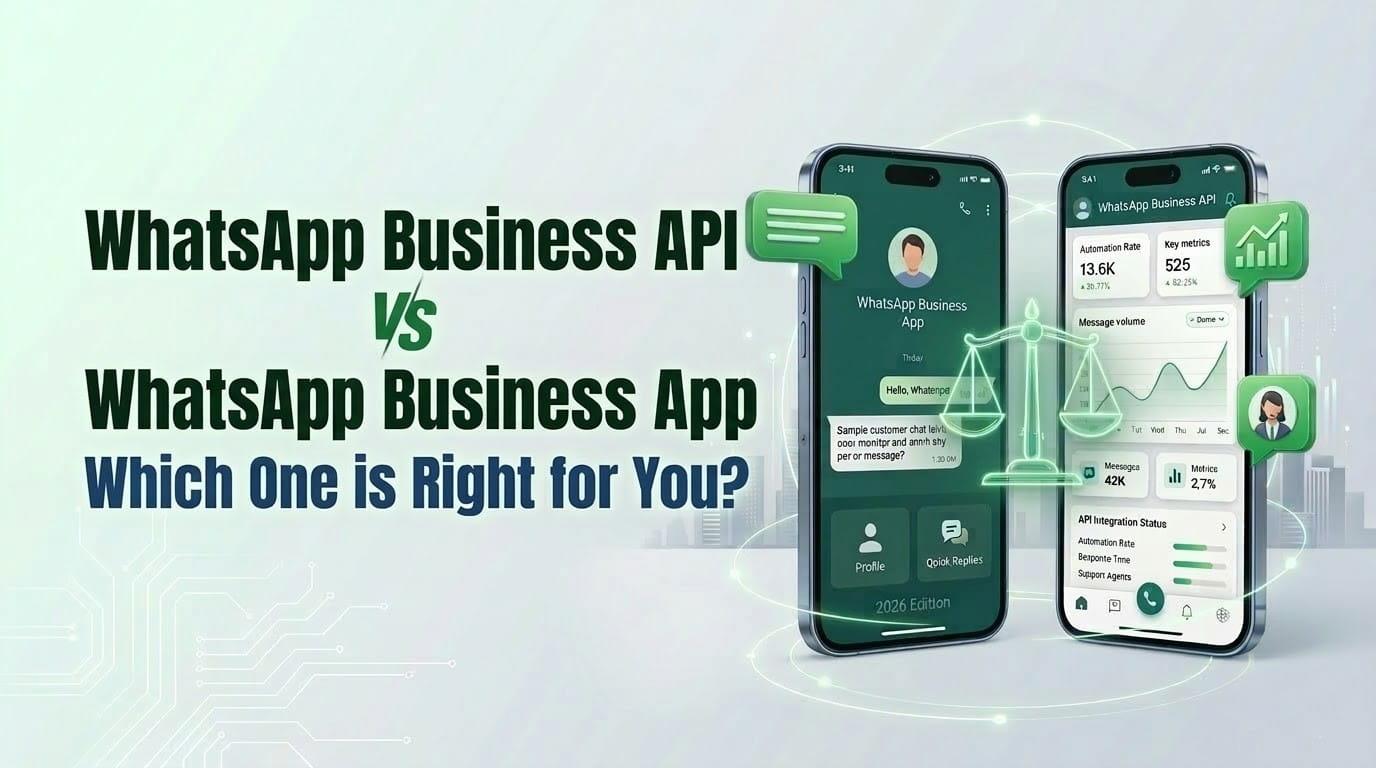
WhatsApp Business API vs WhatsApp Business App: Which One is Right for You?
Introduction
You've recognized that WhatsApp is where your customers are, and you're ready to leverage it for business. But when you start researching, you quickly discover there are two distinct WhatsApp business solutions: WhatsApp Business App and WhatsApp Business API. Which one should you choose?
This is one of the most common questions businesses face when planning their WhatsApp strategy. The wrong choice can mean outgrowing your platform within months, missing critical features you need, or overpaying for capabilities you'll never use. The right choice sets you up for scalable growth and exceptional customer engagement.
The confusion is understandable. Both solutions enable business communication on WhatsApp, both offer verification badges, and both provide access to the platform's massive user base. However, they're designed for fundamentally different business sizes, use cases, and operational models.
In this comprehensive comparison, you'll learn the key differences between WhatsApp Business App and WhatsApp Business API, understand the unique features and limitations of each, explore pricing considerations, and discover exactly which solution fits your current business needs and future growth plans. By the end, you'll have complete clarity on which WhatsApp platform is right for you.
WhatsApp Business App: Overview and Ideal Use Cases
WhatsApp Business App is a free, standalone mobile application designed specifically for small businesses. It's the natural evolution of regular WhatsApp for business purposes—offering essential business features while maintaining WhatsApp's familiar, simple interface.
What is WhatsApp Business App?
Think of WhatsApp Business App as "WhatsApp for small business owners." Meta designed it for solopreneurs, freelancers, and small teams who need basic business communication tools without technical complexity or significant investment.
You download it from the App Store or Google Play, set up your business profile in minutes, and immediately start messaging customers. It requires no technical expertise, no developer involvement, and no ongoing platform fees.
Key Features of WhatsApp Business App
Business Profile: Create a complete business presence with your business name, category, description, address, business hours, email, and website. This information appears when customers view your profile, building credibility and providing essential details.
Catalog Showcase: Display up to 500 products or services with images, prices, descriptions, and links. Customers can browse your catalog directly in WhatsApp, making it perfect for small retailers, service providers, and artisans.
Quick Replies: Save and reuse frequently sent messages with keyboard shortcuts. For example, typing "/hours" could automatically send your business hours. This saves time on repetitive responses.
Labels and Organization: Categorize conversations with color-coded labels like "New Customer," "New Order," "Pending Payment," or custom categories. This helps track conversation status and manage follow-ups.
Automated Messages: Set up greeting messages (when customers first contact you) and away messages (when you're unavailable). This provides immediate acknowledgment even when you can't respond personally.
Messaging Statistics: View basic metrics including messages sent, delivered, read, and received. While not comprehensive analytics, these stats provide top-level insight into your messaging activity.
Multi-Device Support: Connect WhatsApp Business App to up to 4 additional devices (desktop computers, tablets) so you can manage conversations across devices. However, the phone must remain connected to the internet.
Ideal Businesses for WhatsApp Business App
WhatsApp Business App works best for:
Solo Entrepreneurs and Freelancers:
- Consultants managing client communications individually
- Photographers coordinating bookings and delivering proofs
- Personal trainers scheduling sessions and sharing workout plans
- Tutors arranging lessons and sharing materials
Very Small Local Businesses:
- Neighborhood bakeries taking custom orders
- Home-based businesses managing customer inquiries
- Small boutiques showcasing products to local customers
- Service providers (plumbers, electricians, cleaners) coordinating appointments
Businesses characteristics:
- 1-2 people managing WhatsApp conversations
- Fewer than 100-200 conversations per week
- Simple operational workflows
- Limited need for integration with other systems
- Manual messaging approach is acceptable
Limitations to Consider
While perfect for its target audience, WhatsApp Business App has important constraints:
Device Limitations: Only one phone can host the account, though you can connect 4 additional companion devices. If the primary phone loses internet, all devices disconnect.
Single User/Account: Despite multi-device support, there's no real multi-agent collaboration. Everyone shares the same inbox with no conversation assignment or internal notes.
No Automation: Beyond basic greeting and away messages, there's no chatbot capability, triggered workflows, or advanced automation.
Manual Messaging Only: Every message requires human action. You can't automatically send order confirmations, shipping updates, or triggered campaigns.
Limited Messaging Volume: While Meta doesn't publish explicit limits for the Business App, it's designed for manual messaging—hundreds of messages daily, not thousands.
No Integration: WhatsApp Business App doesn't integrate with your CRM, e-commerce platform, helpdesk, or other business systems. It exists as a standalone tool.
Basic Analytics: You get simple message counts, but no detailed performance metrics, agent statistics, customer journey tracking, or ROI measurement.
Pro Tip: Many businesses start with WhatsApp Business App to test WhatsApp's effectiveness for their audience. This is smart—you can validate customer demand before investing in the more robust API solution. Just plan your migration strategy before you outgrow the app's limitations.
WhatsApp Business API: Overview and Ideal Use Cases
WhatsApp Business API is the enterprise-grade solution for medium to large businesses requiring scale, automation, integration, and team collaboration. Unlike the Business App, it's not a downloadable application—it's a programmatic interface that you access through Business Solution Providers (BSPs) like SamparkPro.
What is WhatsApp Business API?
WhatsApp Business API provides the infrastructure for sophisticated business messaging at scale. It enables automated conversations, integrates with your existing business systems, supports unlimited team members, and handles conversation volumes from hundreds to millions.
You never directly download or interact with "the API" itself. Instead, you use platforms like SamparkPro that build user-friendly interfaces, automation tools, analytics dashboards, and management capabilities on top of the API.
Key Features of WhatsApp Business API
Unlimited Agent Support: Add as many team members as needed to manage conversations. Implement role-based permissions, department routing, and sophisticated team workflows.
Advanced Automation: Build chatbots for instant responses 24/7, create workflow automations triggered by customer actions or business events, and implement AI-powered conversation routing and qualification.
Message Templates: Create pre-approved message templates for business-initiated conversations. These enable automated notifications like order confirmations, shipping updates, appointment reminders, and marketing campaigns.
Rich Messaging Capabilities: Send interactive messages with buttons, create list menus for easy navigation, share product catalogs, and use multimedia content strategically.
System Integration: Connect WhatsApp to your CRM for automatic contact syncing, integrate with your e-commerce platform for order-triggered messages, link to your helpdesk for ticket creation, and sync with analytics platforms for comprehensive reporting.
Comprehensive Analytics: Track detailed performance metrics, measure agent productivity and response times, analyze customer journey and conversion paths, and calculate campaign ROI with precision.
Official Verification Badge: Display the green checkmark verified badge that builds customer trust and distinguishes your business from potential imposters.
Conversation-Based Pricing: Instead of per-message charges, pay for 24-hour conversation windows, which allows unlimited message exchanges within each conversation.
Scalable Infrastructure: Meta's cloud infrastructure handles massive message volumes reliably. Your messaging limits grow automatically based on quality ratings and usage patterns.
Enhanced Security: Implement enterprise-grade authentication, maintain audit logs and compliance records, control data access with granular permissions, and ensure end-to-end encryption for all messages.
Ideal Businesses for WhatsApp Business API
WhatsApp Business API becomes essential for:
E-commerce Businesses:
- Online retailers sending order confirmations and shipping updates
- Marketplaces managing vendor and customer communications
- Subscription businesses with recurring customer touchpoints
- Digital product sellers automating delivery confirmations
Service Businesses at Scale:
- Healthcare providers managing appointments across multiple locations
- Financial institutions handling customer support inquiries
- Educational institutions communicating with students and parents
- Travel companies coordinating bookings and itineraries
Teams and Multi-Agent Operations:
- Customer support centers requiring conversation routing
- Sales teams collaborating on prospect conversations
- Multi-location businesses needing centralized messaging
- Companies with specialized departments handling different query types
Automation-Dependent Operations:
- Businesses with high-volume repetitive inquiries
- Companies needing triggered notification systems
- Organizations requiring 24/7 instant response capability
- Enterprises integrating messaging across customer touchpoints
Business characteristics:
- 3+ people managing customer conversations
- Hundreds to thousands of conversations monthly
- Need for automation and workflow efficiency
- Integration with existing business systems required
- Data-driven optimization and analytics important
When to Choose WhatsApp Business API
You need the API solution when:
- Your conversation volume exceeds what one person can manually handle
- You require automated workflows (chatbots, triggered messages, campaigns)
- Multiple team members need to collaborate on customer conversations
- Integration with CRM, e-commerce, or other systems is necessary
- Advanced analytics and reporting drive your business decisions
- You're planning significant growth in WhatsApp messaging volume
Pro Tip: Don't confuse "large business" with "needs API." A 3-person startup handling 500 WhatsApp conversations weekly absolutely needs the API. Conversely, a 50-employee company that rarely uses WhatsApp might be fine with the Business App. It's about usage patterns and requirements, not company size alone.
Head-to-Head Feature Comparison
Let's compare the two solutions across critical dimensions:
Setup and Accessibility
| Feature | WhatsApp Business App | WhatsApp Business API |
|---|---|---|
| Setup Complexity | Download app, create profile (5-10 minutes) | Meta Business verification, BSP selection, configuration (30 minutes - 2 weeks depending on verification) |
| Technical Requirements | Smartphone only | Internet connection, BSP platform access (browser or app) |
| Implementation | Self-service, no technical help needed | Often requires initial setup assistance, though BSPs like SamparkPro simplify significantly |
| Cost to Start | Free | BSP subscription fees + Meta conversation charges |
Winner for Simplicity: WhatsApp Business App
Winner for Growth Potential: WhatsApp Business API
Team Collaboration
| Feature | WhatsApp Business App | WhatsApp Business API |
|---|---|---|
| Number of Users | 1 primary device + 4 companions (all see same inbox) | Unlimited agents with individual accounts |
| Conversation Assignment | Not available | Assign conversations to specific agents or teams |
| Internal Notes | Not available | Team members can add private notes invisible to customers |
| Performance Tracking | No individual agent metrics | Track each agent's response time, conversation volume, resolution rate |
| Shift Management | Manual coordination | Built-in routing rules, online/offline status, workload distribution |
Winner: WhatsApp Business API (decisively for teams of 3+)
Automation Capabilities
| Feature | WhatsApp Business App | WhatsApp Business API |
|---|---|---|
| Chatbot | Not available | Full chatbot capabilities with AI integration |
| Automated Workflows | Only greeting and away messages | Complex multi-step workflows with conditionals |
| Triggered Messages | Not available | Event-based triggers (purchase, cart abandonment, etc.) |
| Bulk Messaging | Manual only (broadcast lists to saved contacts) | Automated campaigns to segmented audiences |
| Quick Replies | Text shortcuts only | Dynamic templates with variables and buttons |
Winner: WhatsApp Business API (not even close—this is the biggest differentiator)
Integration and Connectivity
| Feature | WhatsApp Business App | WhatsApp Business API |
|---|---|---|
| CRM Integration | Not available | Native integrations with major CRMs |
| E-commerce Integration | Not available | Connect to Shopify, WooCommerce, Magento, etc. |
| Helpdesk Integration | Not available | Integrate with Zendesk, Freshdesk, Intercom, etc. |
| Custom Integration | Not available | Full API access for custom connections |
| Data Synchronization | Manual export only | Real-time automatic sync |
Winner: WhatsApp Business API (integration is impossible with Business App)
Analytics and Reporting
| Feature | WhatsApp Business App | WhatsApp Business API |
|---|---|---|
| Message Statistics | Basic counts (sent, delivered, read, received) | Comprehensive metrics dashboard |
| Campaign Analytics | Not available | Detailed campaign performance tracking |
| Customer Journey Tracking | Not available | Full conversation history and journey mapping |
| Export Capabilities | Limited | Comprehensive data export and API access |
| Custom Reports | Not available | Build custom dashboards and reports |
Winner: WhatsApp Business API (essential for data-driven businesses)
Messaging Capabilities
| Feature | WhatsApp Business App | WhatsApp Business API |
|---|---|---|
| One-on-One Messaging | ✓ Yes | ✓ Yes |
| Rich Media (images, videos, docs) | ✓ Yes | ✓ Yes |
| Interactive Buttons | Limited | ✓ Full support |
| List Messages | Not available | ✓ Yes |
| Product Catalogs | ✓ Yes (up to 500 items) | ✓ Yes (unlimited) |
| Message Templates | Not required | Required for business-initiated messages |
| Session Messaging | Unlimited with saved contacts | 24-hour window after customer message (free/low cost in most regions) |
Winner: Mostly tied, with API offering more advanced interactive features
Pricing Structure
| Aspect | WhatsApp Business App | WhatsApp Business API |
|---|---|---|
| Platform Cost | Free | BSP subscription (varies by provider and features) |
| Per-Message/Conversation Cost | Free | Conversation-based pricing (varies by country and category) |
| Setup Fees | None | Typically none with modern BSPs |
| Scaling Costs | Remains free | Increases with conversation volume |
Winner: WhatsApp Business App for absolute lowest cost, but API often provides better ROI for businesses needing its capabilities
Verification and Trust
| Feature | WhatsApp Business App | WhatsApp Business API |
|---|---|---|
| Business Profile | ✓ Yes | ✓ Yes |
| Verification Badge | ✓ Yes (green checkmark) | ✓ Yes (green checkmark) |
| Verification Process | In-app verification | Meta Business verification (more rigorous) |
| Trust Signals | Basic business info | Comprehensive verified business presence |
Winner: Mostly tied (both offer verification, API process is more formal)
Cost Comparison: Total Cost of Ownership
Understanding true costs requires looking beyond platform fees to total operational impact.
WhatsApp Business App Costs
Direct Costs:
- Platform fee: $0
- Message costs: $0
- Setup: $0
- Total recurring: $0/month
Hidden Costs:
- Staff time (manual messaging is time-intensive)
- Opportunity cost of unavailable features
- Lost revenue from inability to automate
- Lack of scalability requiring future migration
Best for: Businesses prioritizing zero platform costs and handling low conversation volumes manually.
WhatsApp Business API Costs
Direct Costs:
- BSP subscription: ₹500-₹5,000/month ($10-180) depending on features and volume
- Meta conversation charges: Varies by country
- India example: ₹0.11 - ₹0.88 per conversation (utility/marketing)
- US example: $0.056-$0.168 per conversation
- Total example (500 conversations/month in India): ₹499 (BSP) + ₹55–₹440 (Meta) = ₹554–₹939/month (~$7–$11)
Hidden Savings:
- Automation reduces staff hours required
- Better conversion rates increase revenue
- Scalability supports growth without platform change
- Integration eliminates manual data entry
- Analytics enable optimization and improved ROI
Best for: Businesses where operational efficiency, automation, and scalability justify platform investment.
ROI Considerations
For businesses needing API capabilities, the ROI calculation typically looks like this:
Without API (using Business App beyond its limits):
- 2 staff members spending 4 hours/day on WhatsApp manually
- Labor cost: 2 × 4 hours × ₹300/hour × 22 days = ₹52,800/month
- Limited conversion due to slow responses and no automation
With API:
- BSP + conversation costs: ₹3,000-₹6,000/month
- Automation handles 60-70% of routine inquiries
- Staff time reduced to 1.5 hours/day per person
- Labor cost: 2 × 1.5 hours × ₹300/hour × 22 days = ₹19,800/month
- Higher conversion from faster responses and triggered campaigns
- Net savings: ₹52,800 - ₹19,800 - ₹6,000 = ₹27,000/month (~$320)
- Plus increased revenue from better customer experience
The API quickly pays for itself when you account for efficiency gains and revenue improvements.
Pro Tip: Calculate your team's time cost for WhatsApp messaging. If you're spending more than 15-20 hours weekly on manual WhatsApp conversations that could be automated, the API will almost certainly deliver positive ROI within 3-6 months.
Migration Path: Starting with App, Scaling to API
Many businesses successfully start with WhatsApp Business App and migrate to API as they grow. Here's how to approach this strategy:
When to Start with Business App
Begin with the free Business App if you:
- Have minimal WhatsApp messaging volume (under 50 conversations/week)
- Want to test customer receptiveness before major investment
- Operate solo or with just one other person
- Don't need automation or integration immediately
- Have limited budget for customer communication tools
Signs It's Time to Migrate to API
Consider upgrading when you experience:
Volume Overwhelm:
- Spending 3+ hours daily on manual WhatsApp messaging
- Missing messages or delayed responses due to volume
- Conversation volume growing 20%+ month-over-month
Team Constraints:
- Multiple people need to manage conversations simultaneously
- Collaboration and handoffs are complicated
- Can't track who's handling which customer
Feature Limitations:
- Need automation for FAQs or routine inquiries
- Want to send triggered notifications (order updates, reminders)
- Require integration with e-commerce or CRM platform
- Need detailed analytics to measure performance
Growth Ambitions:
- Planning to scale WhatsApp significantly
- Expanding to multiple locations or teams
- Making WhatsApp central to customer experience strategy
Migration Process
Moving from Business App to API requires:
- Get new phone number: You can als0 convert an existing Business App number to API using co-existence feature. You'll need a new number or use already used in WhatsApp Business App.
- Set up API account: Complete Meta Business verification and embedded signup through your chosen BSP.
- Communicate the change: Inform customers about your new WhatsApp number through email, SMS, website updates, and social media.
- Dual operation period: Run both numbers temporarily, gradually shifting conversations to the new API number.
- Data transfer: Manually export important contact information from Business App and import to your API platform (no automatic migration exists).
- Template creation: Build and get approved the message templates you'll need.
- Final cutover: After all active conversations move to API number, shut down the Business App account.
The migration typically takes 2-4 weeks depending on your conversation volume and customer transition strategy.
Pro Tip: If you strongly suspect you'll need API capabilities within 12 months, consider starting with API from the beginning. The migration hassle, temporary dual-number confusion, and conversation disruption often costs more (in time and customer experience) than starting with the right solution initially.
Decision Framework: Which Solution Fits Your Business?
Use this framework to determine the right WhatsApp solution for your specific situation:
Choose WhatsApp Business App if:
- ✓ You're a solo entrepreneur or very small team (1-2 people)
- ✓ Conversation volume is under 100 per week
- ✓ Manual messaging approach is acceptable
- ✓ Budget is extremely constrained ($0 available for messaging platform)
- ✓ You don't require integration with other systems
- ✓ Basic automation (greeting and away messages) is sufficient
- ✓ You're testing WhatsApp viability before significant investment
Example businesses: Freelance graphic designer, local bakery, independent consultant, home-based craft business, personal trainer.
Choose WhatsApp Business API if:
- ✓ You have 3+ people managing customer conversations
- ✓ Conversation volume exceeds 100-200 per week (or growing rapidly)
- ✓ You need automation for efficiency or 24/7 availability
- ✓ Integration with CRM, e-commerce, or helpdesk is required
- ✓ Data and analytics drive your business decisions
- ✓ WhatsApp is strategic to your customer experience
- ✓ You plan to scale messaging significantly
Example businesses: E-commerce store, multi-location service business, SaaS company, healthcare provider, educational institution, growing D2C brand.
Still Unsure? Ask These Questions:
1. "How many hours weekly do we spend (or will we spend) on WhatsApp?"
- Under 5 hours → Business App likely sufficient
- 5-15 hours → Consider API for efficiency
- Over 15 hours → API essential
2. "Will we need automation in the next 6-12 months?"
- No → Business App works
- Probably → Start with API
- Definitely → API non-negotiable
3. "Is WhatsApp critical or supplementary to our customer strategy?"
- Supplementary → Business App acceptable
- Critical → API provides necessary capabilities
4. "What's the cost of poor WhatsApp customer experience?"
- Minimal impact → Business App acceptable
- Lost revenue/customers → Invest in API
5. "How technical is our team?"
- Non-technical → Business App easier to start, but modern BSPs make API accessible too
- Technical resources available → API unlocks more possibilities
Conclusion: Making the Right Choice for Your Business
Choosing between WhatsApp Business App and WhatsApp Business API isn't about which solution is "better" in absolute terms - it's about which aligns with your current operational reality and future growth trajectory.
WhatsApp Business App excels as a free, simple solution for very small businesses with modest messaging volumes and manual operational approaches. It removes barriers to entry and lets you establish a WhatsApp presence instantly.
WhatsApp Business API is the strategic choice for businesses treating WhatsApp as a core customer communication channel, requiring team collaboration, automation, integration, and scalability. Yes, it has costs—but for the right businesses, the ROI is compelling and rapid.
The good news? You don't have to make a permanent irrevocable decision today. Many successful businesses start with the Business App to validate WhatsApp's role in their customer engagement, then migrate to API as volume and requirements grow.
However, if you already know WhatsApp will be central to your customer strategy, if you're planning significant growth, or if you need automation and integration from the start, beginning with the API saves future migration headaches.
Your Next Steps:
- Assess your current reality: Evaluate your conversation volume, team size, and operational workflows honestly
- Project 12 months ahead: Consider where your business will be, not just where it is today
- Calculate total costs: Factor in time costs and opportunity costs, not just platform fees
- Try before fully committing: Most BSPs offer trial periods to experience the API platform
Ready to explore WhatsApp Business API? Start your free SamparkPro trial and discover how the API platform can transform your customer communication—no commitment required, setup completed in 30 minutes.
Or if you're still evaluating your options, schedule a consultation with our WhatsApp experts who can assess your specific needs and recommend the right solution.
Frequently Asked Questions
1. Can I use both WhatsApp Business App and WhatsApp Business API simultaneously?
Not with the same phone number. A phone number can only be active on one WhatsApp platform at a time. However, you could theoretically use two different numbers—one on Business App and another on API—though this would create customer confusion. It's better to choose one solution and commit to it, or plan a clear migration path from App to API when ready.
2. If I start with WhatsApp Business App, will I lose my chat history when migrating to API?
Yes, unfortunately there's no automated migration of conversation history from Business App to API. You'll need to manually export any critical information before switching. This is another reason to carefully consider whether you'll need API capabilities soon—starting with the right solution avoids this data loss.
3. Does WhatsApp Business App have message limits?
WhatsApp doesn't publish explicit message limits for the Business App, but it's designed for manual, conversational use—not bulk messaging. If you attempt high-volume broadcasting or automated behavior, your number risks being flagged and banned. For high-volume messaging, WhatsApp Business API is the appropriate (and safer) solution.
4. Can I get a verified badge with WhatsApp Business App?
Yes, both Business App and Business API offer verified business badges (the green checkmark). However, the verification process is different. Business App verification happens in-app and is generally simpler, while API verification requires Meta Business verification which is more comprehensive. Both badges provide similar trust signals to customers.
5. Is WhatsApp Business API difficult to set up and use?
It depends on your implementation approach. If you attempt to use Meta's Cloud API directly, you'll need developers and technical expertise. However, Business Solution Providers like SamparkPro offer user-friendly platforms built on top of the API—these provide intuitive dashboards, automation builders, and support, making the API accessible even for non-technical teams. Modern BSPs have made WhatsApp Business API nearly as easy to use as the Business App, while providing far more capabilities.
6. How much does WhatsApp Business API actually cost for a small-to-medium business?
Total costs include two components: BSP subscription fees and Meta's conversation charges. For example, a small business in India handling 300 conversations monthly might pay approximately ₹2,000-₹3,000 for their BSP subscription plus ₹130-₹265 in Meta conversation charges, totaling ₹2,130-₹3,265 per month (~$25-40 USD). In the United States, a similar business might pay $30-50 for BSP subscription plus $17-50 in conversation charges (depending on conversation types), totaling $47-100 monthly. Your specific costs depend on your country, conversation volume, and conversation category mix (marketing conversations cost more than utility conversations).
7. What happens to my WhatsApp Business App number if I stop using it?
If you don't use your WhatsApp Business App number for 120 days, WhatsApp will automatically delete your account and the number becomes available for others to register. If you're planning to migrate to API but need time, ensure you keep the Business App number active with occasional use until you're ready for complete transition, then proactively delete it once you no longer need it.
Related Articles